
1. Open Outlook.
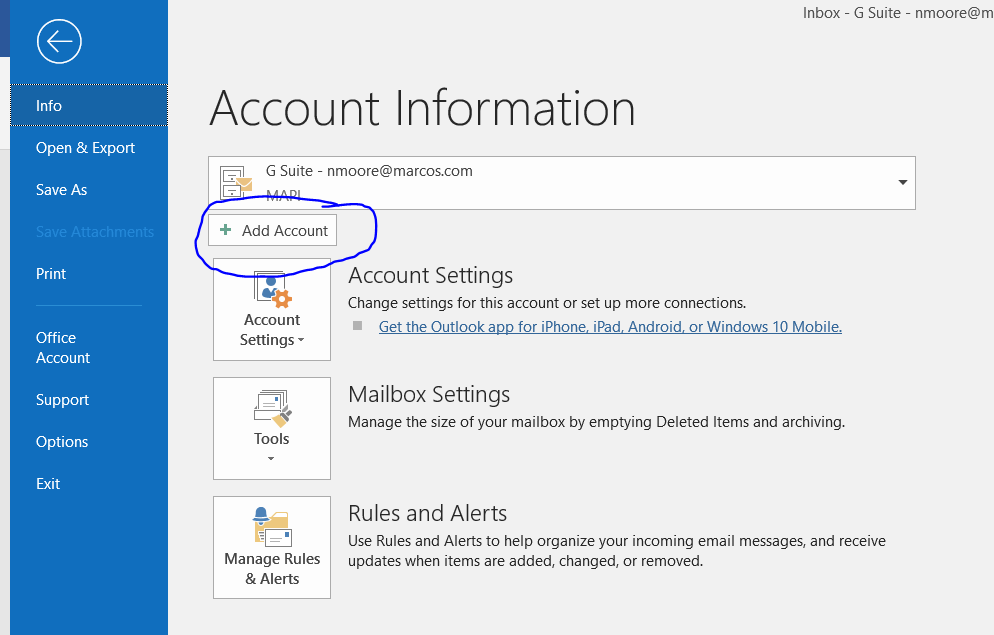
2. Go to File, select Add Account.
3. A new window will open. Enter your marcospizza.net email address and click Advanced Options.
4. Check the “Let me set up my account manually” option.
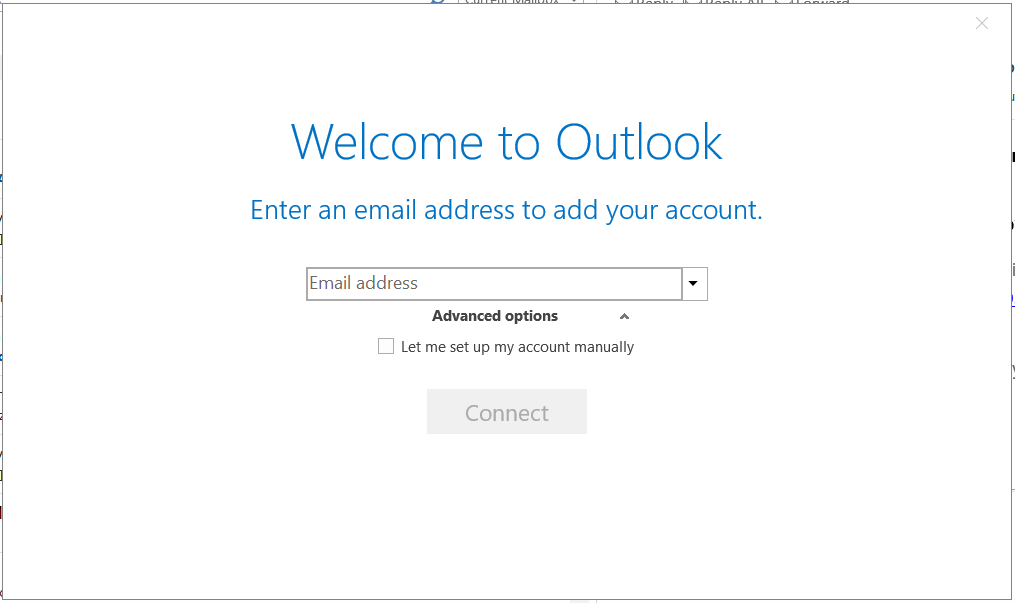
5. Click Connect.
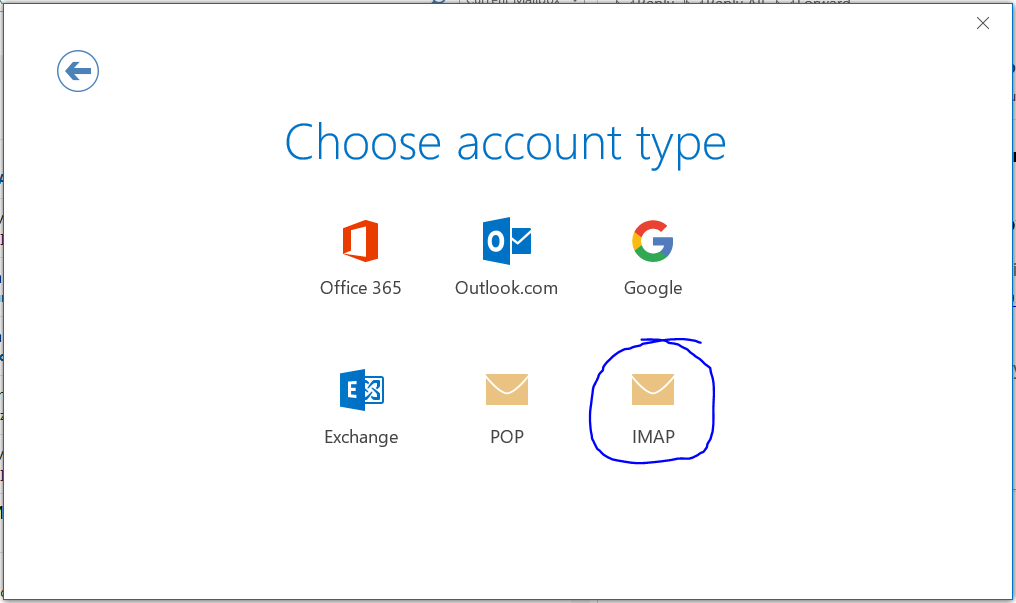
6. For Account Type, Choose IMAP.
7. On the next page, for both Incoming mail and Outgoing mail, please make sure that it states mail.marcospizza.net in the "Server" along with the other fields filled in as seen below for "Port" and "Encryption method".
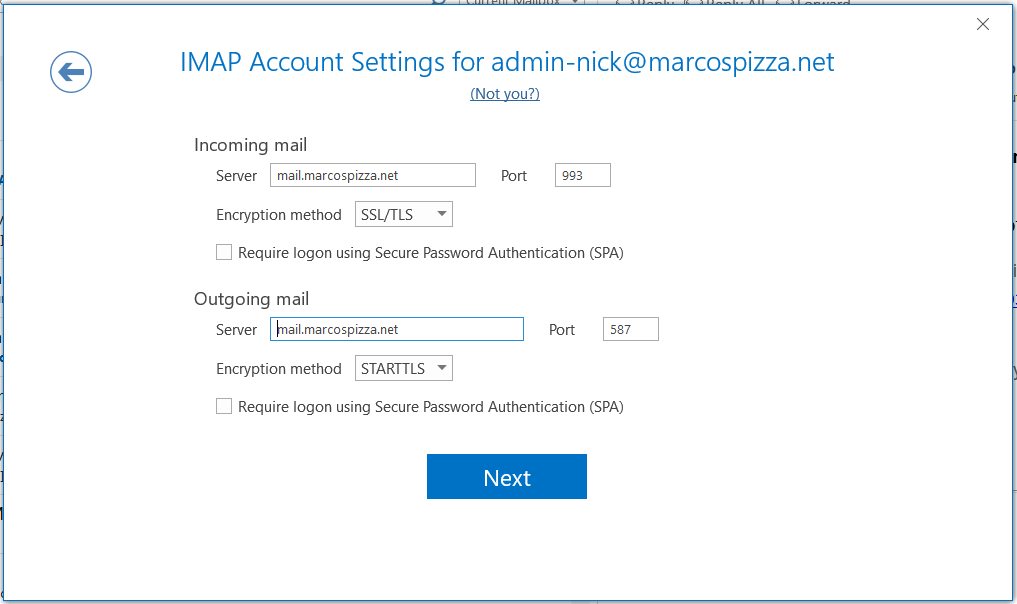
8. Click Next.
9. Enter your marcospizza.net email password and click Connect.
10. Account Setup is now complete. Uncheck the “Set up Outlook Mobile on my phone, too” option.
11. Click OK.
Comments
0 comments
Article is closed for comments.