
IMPORTANT: You must have added a backup email address to your account if you wish to reset your password using this method.
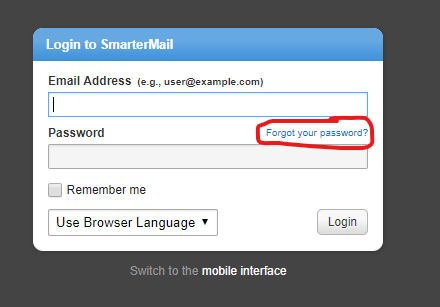
1. On the SmarterMail login page, click “Forgot your password?”
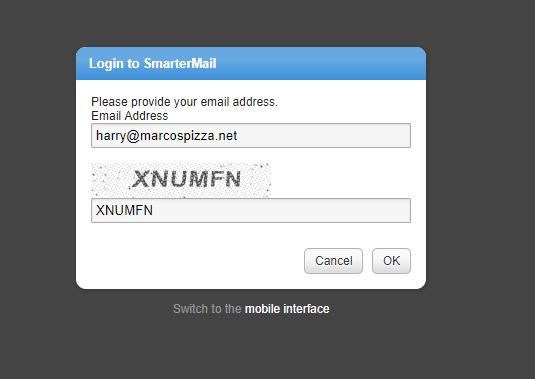
2. Type in your full marcospizza.net email address in the top box (ex. harry@marcospizza.net)
3. Type the letters and numbers that appear in the bottom box and click “OK”
4. Check the inbox of your backup email account you listed when you created your and click the link in the email you receive to reset your password
- If you do not have a backup email address on file you will receive an error message. At this point please reach out rmssupport@marcos.com
5. Enter your new password and confirm it by typing it again, then click “OK”
6. Log in to your account with your new password
You have successfully reset your password.
Comments
0 comments
Article is closed for comments.