
Close out, or minimize, the FoodTec application à Double click on the Tools icon
Click Restart AppServer
This will open a black script box showing the AppServer stopping/starting.
Once you see the message “Starting FoodTecAppServer” you can close out of this window. Next, double click the FoodTec icon on the desktop to open the application.

Click Restart AppServer
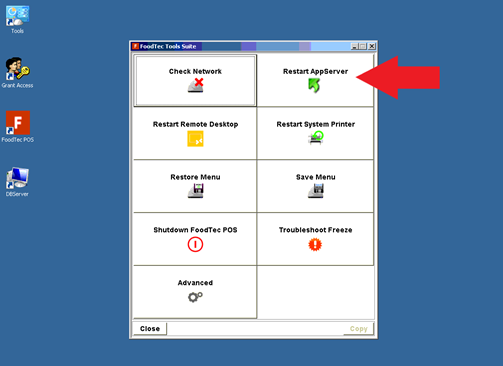
This will open a black script box showing the AppServer stopping/starting.
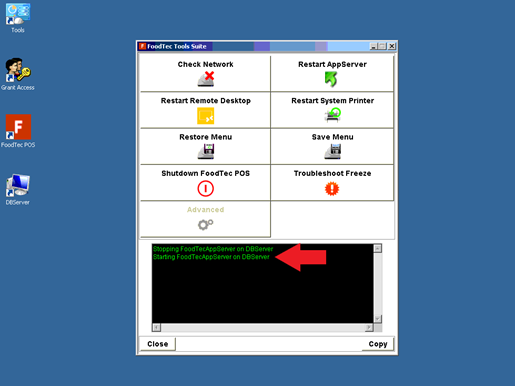
Once you see the message “Starting FoodTecAppServer” you can close out of this window. Next, double click the FoodTec icon on the desktop to open the application.
Comments
0 comments
Article is closed for comments.