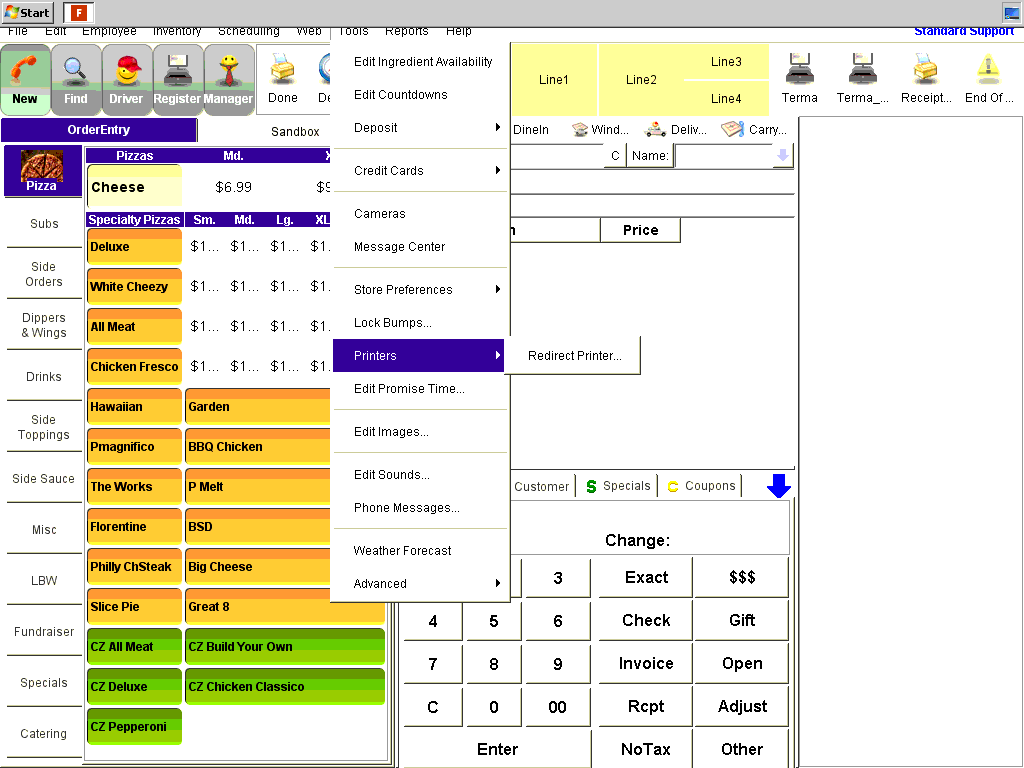
Go to Tools → Printers → Redirect Printer
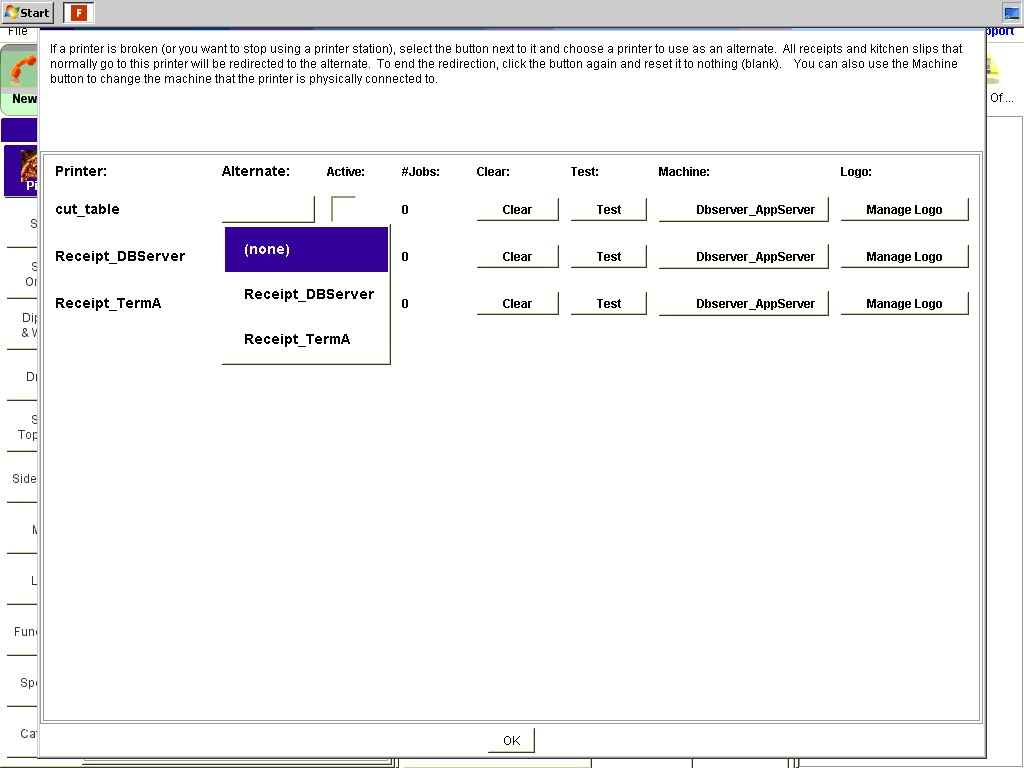
From Redirect Printer.. select which printer you would like to redirect your defective printer to using the “Alternate” drop-down box.
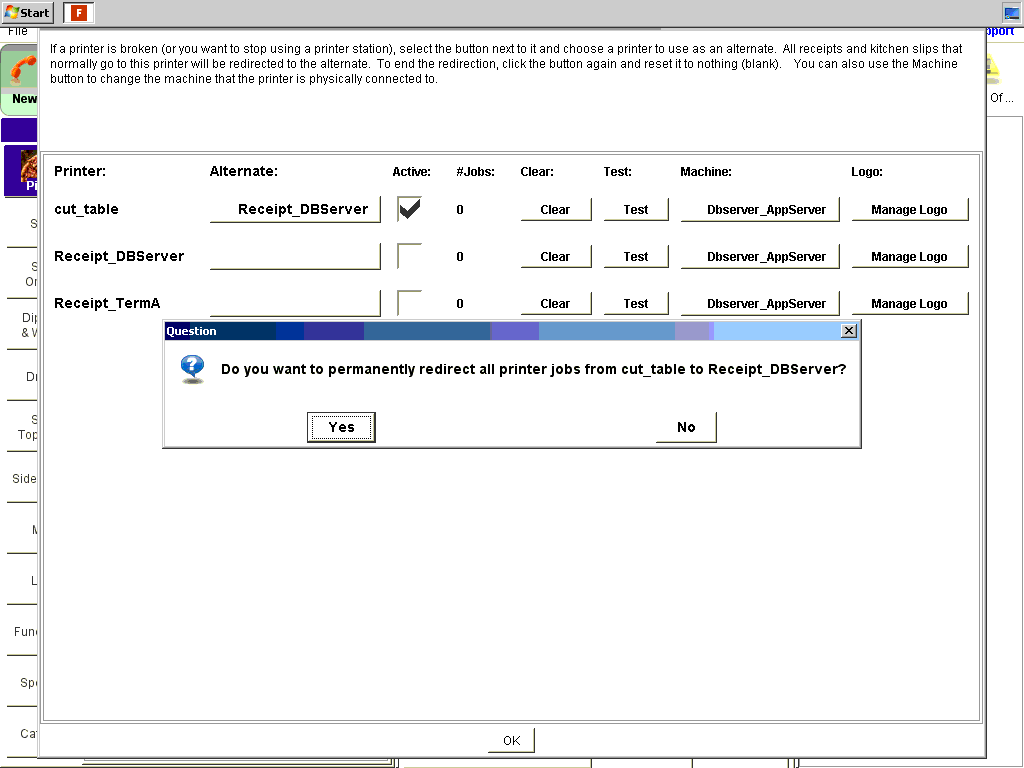
Make sure the “Active” check box is selected to confirm your redirect.

Go to Tools → Printers → Redirect Printer
From Redirect Printer.. select which printer you would like to redirect your defective printer to using the “Alternate” drop-down box.
Make sure the “Active” check box is selected to confirm your redirect.
Comments
0 comments
Article is closed for comments.